
Playground
The Playground sends real search and fetch calls through your project’s providers, so you can try a query before you write code. The calls cost what they cost and show up in Activity and traces. Search needs the Run searches permission and fetch needs Fetch pages. A tab you can’t use stays visible but disabled.
If the project has no provider set up, the page says “No provider is set up for this project” and links to Set up providers. See Project providers.
Run a search
Section titled “Run a search”- Open your project, then open Playground. The Search tab is selected.
- Type a query in Search the web, or select one of the Suggestions.
- Pick a Provider: Auto (routing decides), All providers (every provider, fused into one list), or one named provider.
- Set Results, from 1 to 100. The default is 6.
- Select Search.
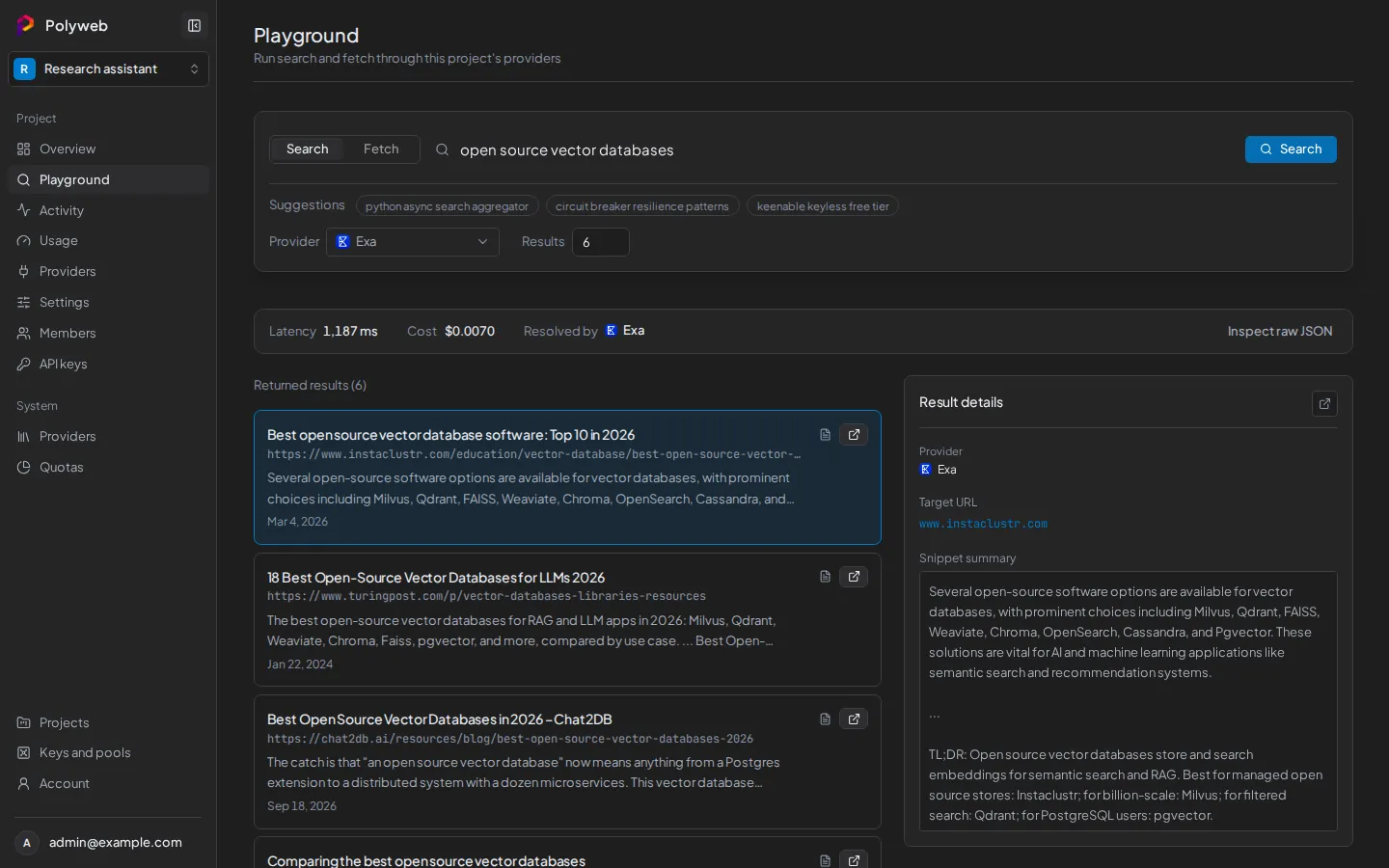
The bar above the results shows Latency, Cost and Resolved by, which is the provider that answered. Returned results lists each hit with its title, URL and snippet. Select a result to open it in the inspector beside the list.
Below the inspector, the Execution waterfall shows which providers ran, how long each took and whether each succeeded, failed, was rate limited or was skipped. Inspect raw JSON shows the full response, with a Copy JSON button.
Fetch a page
Section titled “Fetch a page”- Select the Fetch tab.
- Paste a page address into URL to fetch.
- Pick a Provider, or leave Auto.
- Select Fetch.
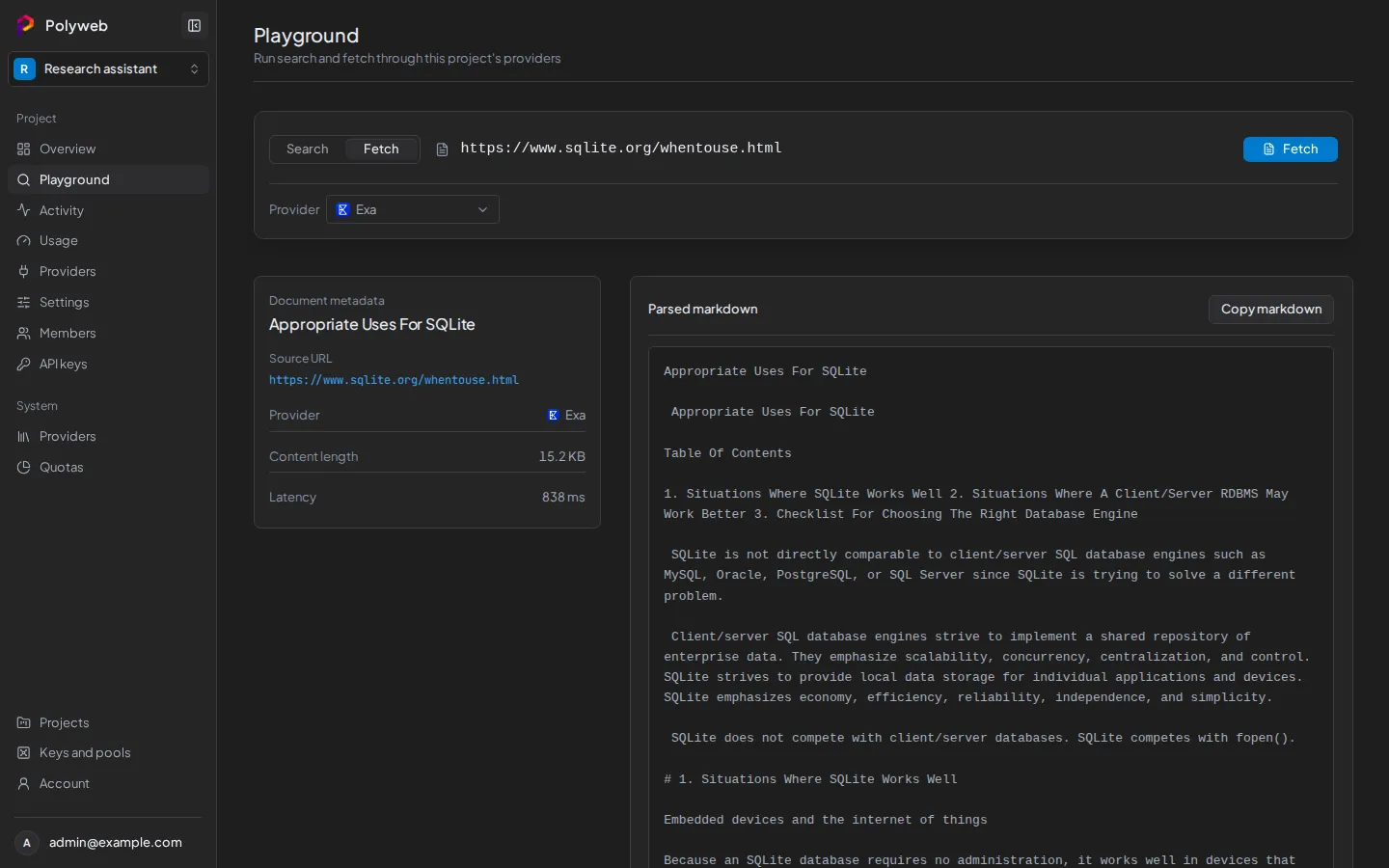
The left panel shows Document metadata: the title, Source URL, Provider, Content length and Latency. The right panel shows the Parsed markdown, with a Copy markdown button. Fetch takes one URL per call and shows no waterfall, because one URL means one provider call.
You can also fetch from a search: each result has a fetch icon (“Fetch this page”) that runs a fetch for that URL.
Things to know
Section titled “Things to know”Your query, URL and last results are kept per project, so they survive switching pages and reloading. Switching projects starts clean. A request that is running keeps going if you open another page.
If a fetch fails, the page shows a short explanation (blocked site, timeout, out of credits, or no readable content) with the provider’s message underneath. Try another Provider, or check Usage and System providers and quotas if you suspect a spent budget.
Next steps
Section titled “Next steps”- Find the call you just made in Activity and traces.
- Call the same operations from code with the REST API or the MCP server.